
Ask three vendors for an on-site badge printing cost and you will get three numbers that differ by thousands of dollars, none of them itemized. That is not because badging is complicated. It is because the quote bundles four things, equipment, consumables, staff and software, and hopes you will not ask which is which.
So let us ask. Below are the published 2026 figures for every way of getting a badge printed at your event, from fully outsourced to fully owned, plus the two rules of thumb that tell you how much kit you need and the walkthrough for doing it yourself.
What agencies and managed services charge
The top of the market is the fully managed service: a crew arrives with kiosks, printers, stock and staff, runs your check-in, and leaves. On published figures, that runs around $6,500 for a 500-attendee, single-day event, covering equipment hire, consumables, setup and trained staff.1
The budget end of outsourcing is pre-printed badges: a print shop produces the full run and ships it, from around $1.73 per badge including shipping, or about $865 for 500 badges.1 Add on-site staffing and even a modest version of this approach lands around $2,100 per event; one published example itemizes $650 of badge production plus $1,176 of agency staffing, roughly $2,100 in 2024 money.1 Pre-printing also carries a hidden cost the invoice never shows: every no-show is a badge you paid for and threw away, and every late registration is a badge you cannot print at all.
The in-house kit, itemized
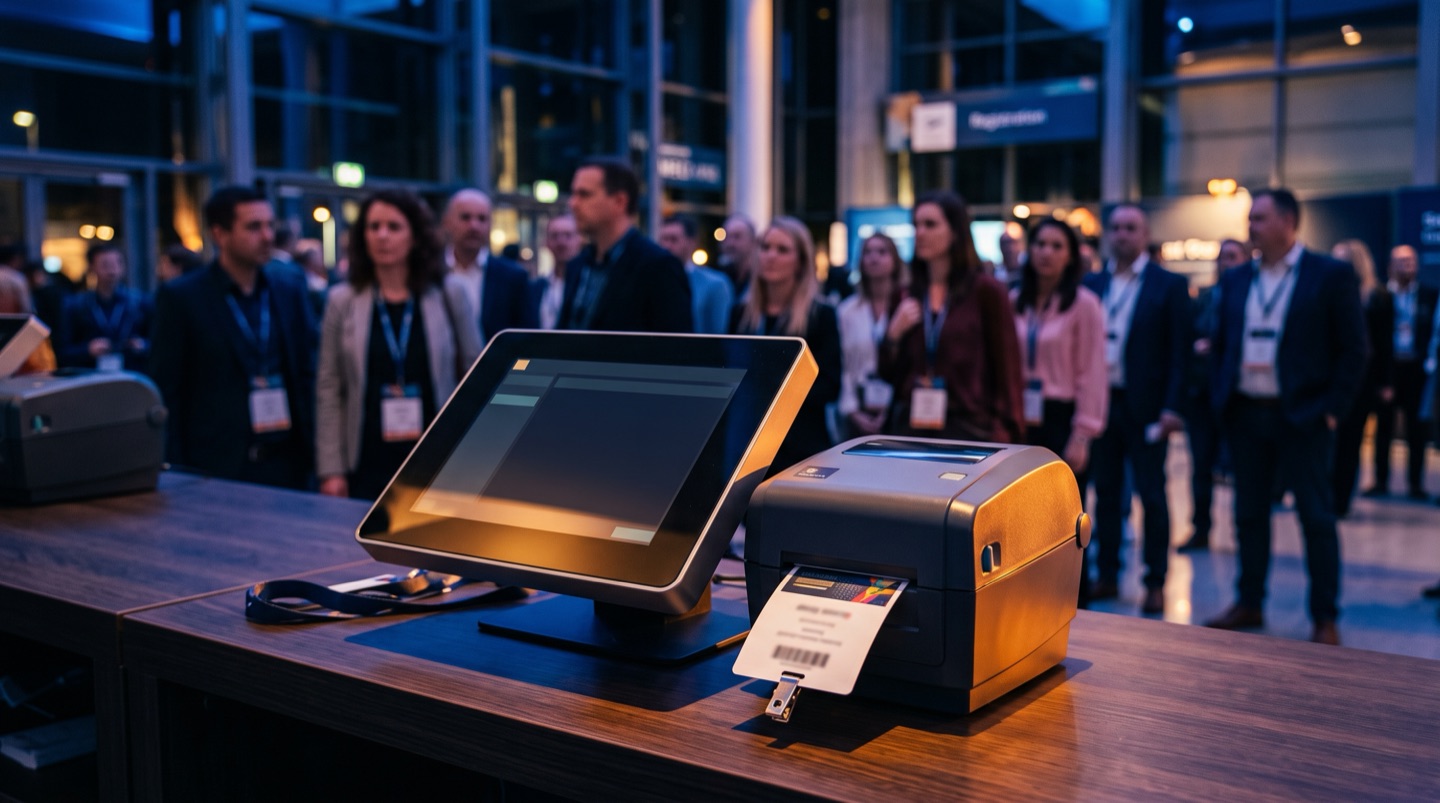
Here is what the same capability costs to own. A single on-demand printing kiosk is four pieces of standard hardware, and published itemized pricing puts them at roughly: a laptop at $400, a USB QR scanner at $70, a Zebra ZD421 thermal printer at $600, and a 1,000-label roll at $40.1 That is about $1,110 for a complete kiosk, and everything except the labels is reusable at your next event. A four-kiosk thermal setup, enough for a large conference, totals an estimated $4,380.1
The thermal-versus-color question decides most of the budget. Thermal printers like the ZD421 are the on-demand default: fast, quiet, no ink to run out, but monochrome, so the standard approach is printing the attendee's name and QR code onto pre-designed color badge shells.3 Going full color on demand means inline color units like Epson's ColorWorks C3500 at roughly $1,200 each, which pushes a four-kiosk build to about $4,460 and adds ink to your consumables list.14 For most conferences, thermal onto pre-printed shells is the cost-to-quality sweet spot.
Buy or rent?
Renting sits between the two. Published rental pricing for a single self-run kiosk works out to roughly $2,229 per event all-in: about $410 for the equipment package, $120 of ink, $199 of badge stock for 500 attendees, $250 each way for delivery and collection, and around $1,000 for the badging software licence.2
Look at that breakdown for a second, because it contains the whole argument of this article. The hardware is $410. The consumables are a few hundred. The single biggest line is the software licence, roughly $1,000 per event, billed again every event, for connecting your own registration data to a printer.2 Stock and labour genuinely repeat; you buy labels and pay people every time. The printer and the software should not, and the rental model quietly re-bills you for both. The arithmetic follows directly: rent twice and you have spent more on equipment and software than owning the kiosk outright would have cost.12 Rent once to try the workflow; if your events repeat, buy.
Sizing it: how many kiosks you actually need
One published rule of thumb sizes the whole operation: one kiosk per 230 attendees arriving in your busiest hour, based on real throughput of around 4 badges per minute per kiosk.2 The same source is plain that running on-site printing takes more than one person on the day.2 On-demand printing is self-service until something needs a human, and something always does, so staff the floor for the exceptions rather than the happy path.
Note that the input is your busiest hour, not your total attendance. A 500-person event where everyone arrives between 8:30 and 9:30 needs two to three kiosks; a 1,000-person expo with arrivals spread across a morning may need the same. Your registration data already tells you the arrival pattern if you ran the event before, which is one more reason the data layer matters more than the printer.
From registration data to printed badge
The step-by-step, assuming you own or rented the kit above. Everything hard about badging happens in steps one and four, not at the printer.
The pattern in every failed badging story is the same: the data was exported to a spreadsheet three weeks out, and the spreadsheet and reality drifted apart. On-demand printing from a live registration platform makes most classic failures structurally impossible: there is no badge box to mis-sort, no-shows cost nothing, and a name fix is an edit and a reprint. Badges are also personal data on display, which is one more reason the pipeline behind them should be a system you control; we covered that side in our DPDP compliance checklist.
Where Aurentex sits
Aurentex's position on badging follows from everything above: if your platform already holds the registration data, badging should be part of the platform, not a separate per-event licence. So it is. The badge designer is built in, drag-and-drop with your logo, background art and print-ready PDF output, and badges print directly from live registration data at check-in, with QR codes generated by the same system that scans them. The roughly $1,000-per-event software line in the rental breakdown above2 simply does not exist on Aurentex: it is part of the flat platform fee.
To be precise about what you still pay for: hardware and stock are real, so budget the roughly $1,110 per owned kiosk from the itemized list, or rent hardware for your first run.1 What you stop paying is the re-billed software and the agency margin on work your own data already does. As with everything else, your first event on Aurentex is free, badge designer included, so you can run the walkthrough above on a real event before spending anything.
Common questions
How much does on-site badge printing cost?
On published 2026 figures: around $6,500 for a fully managed 500-attendee single-day event, roughly $2,229 per event for a rented self-run kiosk all-in, or about $1,110 in reusable hardware for an owned thermal kiosk.12 The right comparison depends on how often your events repeat.
How many badge printing kiosks do I need?
One kiosk per 230 attendees arriving in your busiest hour, at around 4 badges per minute per kiosk, and more than one person on the day to run it.2 Size to the arrival peak, not the total headcount.
Should I use a thermal or color printer for badges?
Thermal is the on-demand default: fast, no ink, monochrome, printed onto pre-designed color shells.3 Inline color units cost roughly twice as much per printer and add consumables.14 Most conferences get the best result from thermal on pre-printed shells.
Is in-house badging hard to run without an agency?
The hardware is genuinely simple. The failure mode is data: duplicates, missing fields, and spreadsheets that froze three weeks before the event. Print from a live registration platform and in-house badging becomes a checklist job, which is exactly why the walkthrough starts with data, not printers.